
What is a phishing simulation?
A phishing simulation is a controlled security exercise that recreates realistic phishing attacks without exposing employees or business systems to a genuine threat. Employees receive simulated phishing messages designed to test whether they recognize suspicious signs and deal with the message correctly.
The aim is not to catch employees making mistakes. Simulations help businesses understand how people respond to realistic phishing attempts and identify behaviors that could increase security risk.
- Phishing simulations recreate realistic attacks in a safe, controlled environment.
- Employees are tested on whether they recognize, avoid, and report suspicious messages.
- Simulations measure behavior, while training teaches employees what to look for and how to respond.
- Results can reveal where additional security awareness training is needed.
- A good simulation should support learning rather than punish employees for mistakes.
- Regular simulations can help businesses track whether awareness improves over time.
What is an example of a phishing simulation?
A business might send employees a simulated Microsoft 365 password-reset email or an unexpected invoice containing a test link.
If an employee clicks the link, enters information into the simulated page, or reports the message, the system records that response. A properly designed simulation records employee responses without stealing real credentials or exposing employees or business systems to a genuine cyberthreat.
Phishing simulation vs. phishing training
Phishing training teaches employees how to recognize and respond to phishing. Phishing simulations test how well they apply that knowledge in realistic situations.
Phishing training gives employees the knowledge and skills to recognize and respond to threats. A phishing simulation puts those skills to the test in a realistic, controlled scenario.
The two complement each other. Simulations are one part of a broader security awareness program and can reveal where employees need additional guidance or practice.
Independently tested and awarded by the industry's leading labs.



Why are phishing simulations important for businesses?
Phishing remains partly a human challenge even when businesses use strong technical security controls. Email filters, malware protection, and other defenses can block many threats, but employees may still encounter convincing phishing messages that reach their inboxes.
Phishing simulations give businesses a safe way to test how employees respond before a real attack occurs. They show how people behave when faced with a realistic message.
This can reveal behavioral weaknesses that conventional awareness training may not expose, such as employees clicking suspicious links or failing to report suspicious messages. Effective simulations give businesses a clearer picture of how employees respond when faced with realistic threats.
How do phishing simulations work?
A phishing simulation usually follows a simple process: plan → simulate → monitor → analyze → improve.
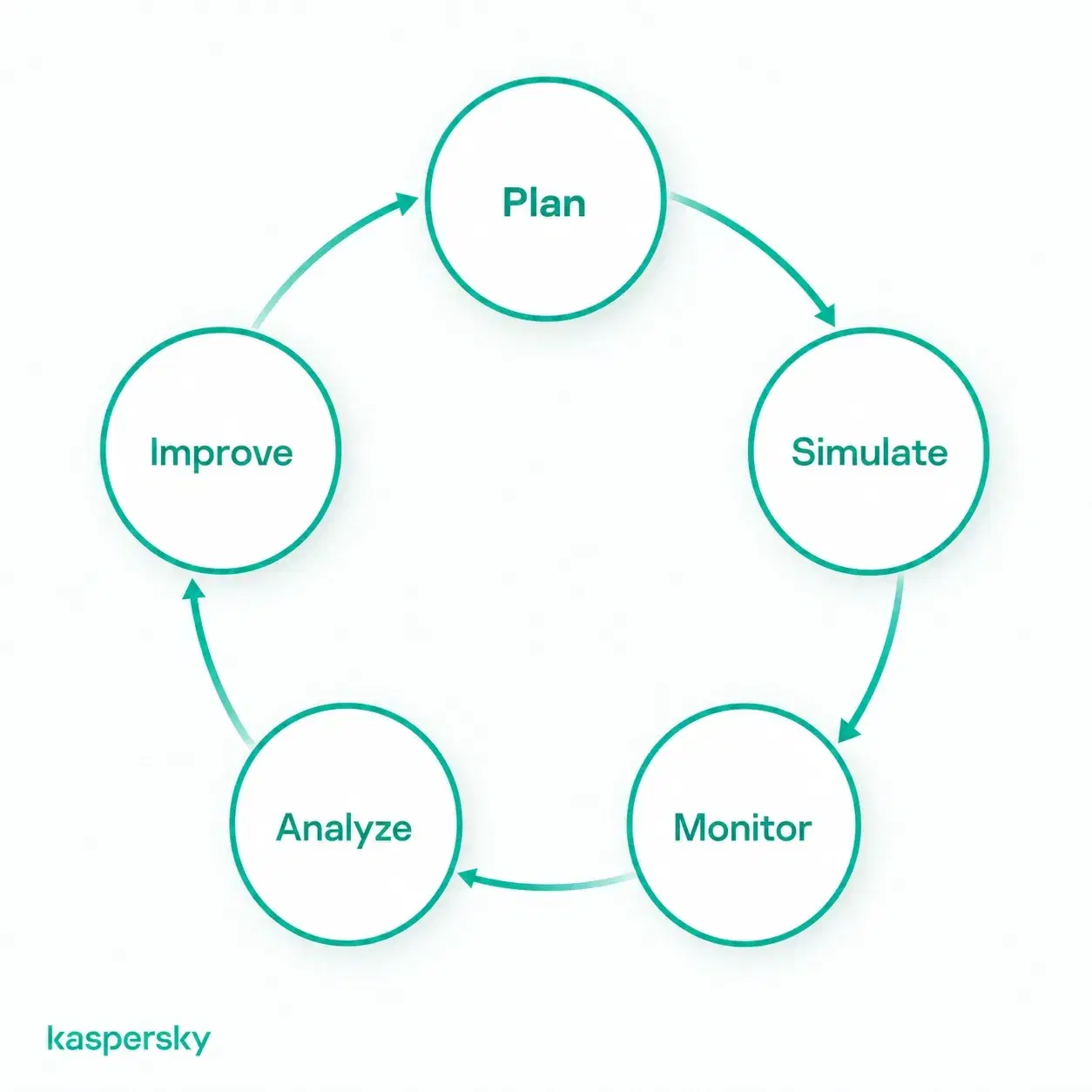
The business defines the objective of the exercise and creates a realistic phishing scenario. The simulated message is then delivered in a controlled way without exposing systems to genuine malware or credential theft.
The simulation records employee actions such as:
- Clicking a link.
- Entering information into a simulated page.
- Opening an attachment.
- Reporting the message as suspicious.
Afterward, the results are analyzed to evaluate how employees responded and identify behaviors or areas that need improvement.
What happens when an employee fails a phishing simulation?
Failing a phishing simulation should lead to constructive feedback. This isn’t about punishment.
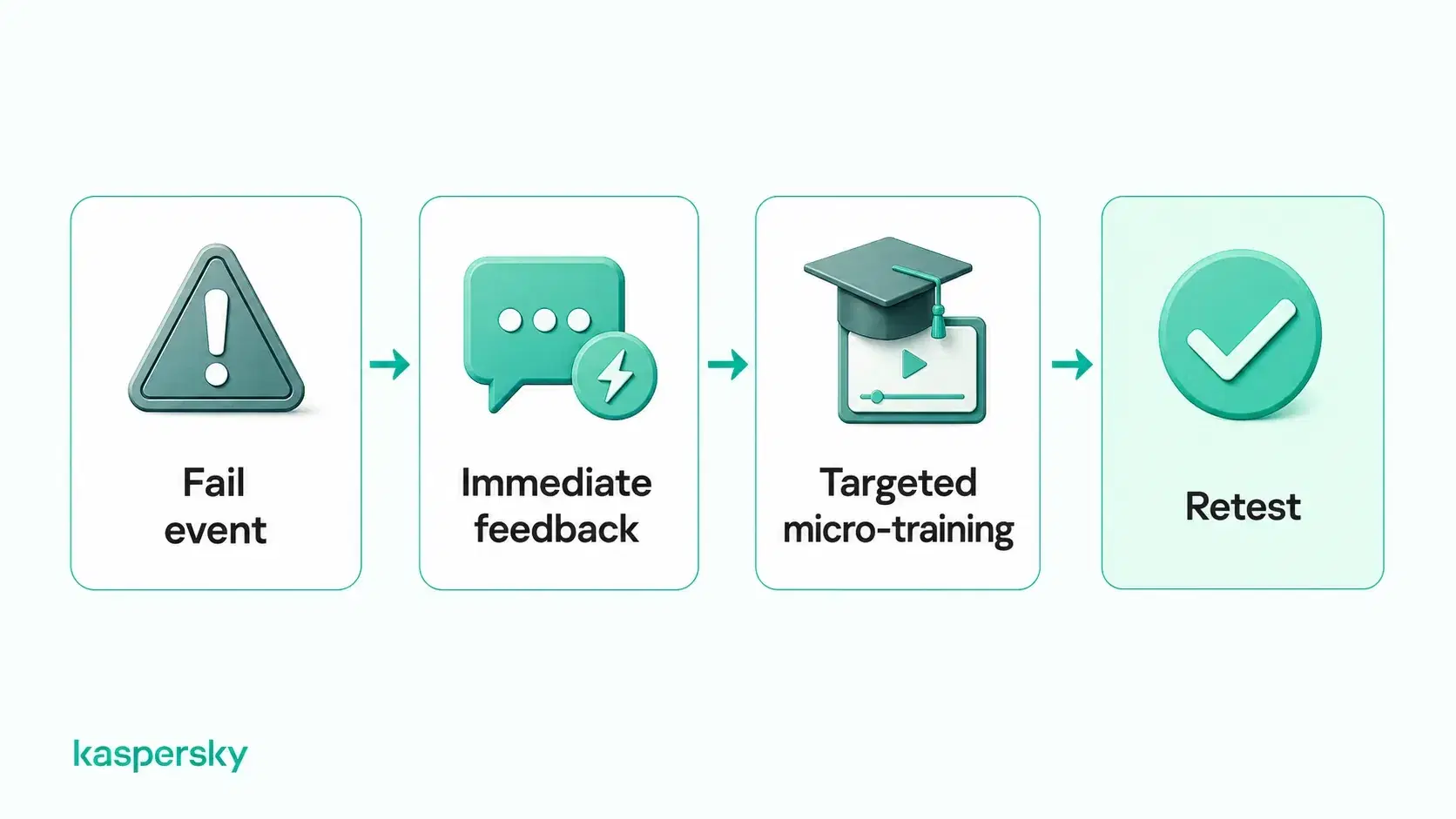
The employee should be shown the warning signs they missed while the scenario is still fresh, such as an unusual sender address, urgent wording, or a suspicious login page. Targeted training can then reinforce the right response.
Businesses can also retest employees later to see whether behavior improves. The goal is to build confidence and better habits. It is not to shame people or label them as security problems.
What types of phishing simulations can businesses use?
Businesses can use several types of phishing simulations to test how employees respond across different channels. Varying the format matters because the goal is to teach people to recognize underlying warning signs. It isn’t about simply memorizing one email template.
AI can make spear phishing and impersonation scenarios more convincing by generating natural-sounding, personalized messages and realistic fake identities. These scenarios can test whether employees verify unusual requests instead of relying on appearance alone.
|
Simulation type |
Example |
Behavior tested |
|
Email phishing |
Fake Microsoft 365 password reset, shared document, or invoice |
Whether employees inspect links, sender details, and unexpected requests before clicking |
|
Spear phishing / BEC |
Personalized message appearing to come from an executive, supplier, or colleague requesting payment or sensitive information |
Whether employees verify unusual requests and follow approval procedures |
|
Fake delivery update or account alert sent by SMS |
Whether employees avoid suspicious mobile links and verify unexpected messages |
|
|
Simulated phone call asking for login details, payment approval, or account information |
Whether employees challenge unexpected callers and avoid sharing sensitive information |
|
|
QR code on a fake invoice, poster, or email that leads to a simulated login page |
Whether employees treat QR codes with the same caution as ordinary links |
How can businesses run effective phishing simulations?
Effective phishing simulations should reflect the messages and risks employees are likely to encounter in their normal work. A finance team may need realistic invoice or payment scenarios. Other employees may be more regularly exposed to fake password resets or delivery messages.
Each simulation should have a clear objective. It may be improving phishing recognition, increasing reporting rates, or testing how employees respond to a particular attack technique. Scenarios should also vary over time so employees learn transferable warning signs rather than simply recognizing familiar test templates.
Businesses can gradually introduce more difficult or personalized simulations while keeping them credible and relevant to everyday work.
How often should phishing simulations be conducted?
There is no single schedule that works for every business. Frequency should depend on organizational needs and how mature the security awareness program is.
Regular simulations are generally more useful than a single annual test because they allow businesses to reinforce good habits and measure progress over time. Teams showing weaker results may also benefit from more targeted testing and follow-up training.
How can businesses measure phishing simulation success?
Phishing simulation results should be measured across multiple campaigns rather than judged from one test.
Useful metrics include:
- Click rate: how many employees clicked a simulated phishing link.
- Credential submission rate: how many entered information into a simulated phishing page.
- Reporting rate: how many correctly reported the message.
- Time to report: how quickly suspicious messages were reported.
- Repeat failure rate: how often the same employees make similar mistakes across multiple simulations.
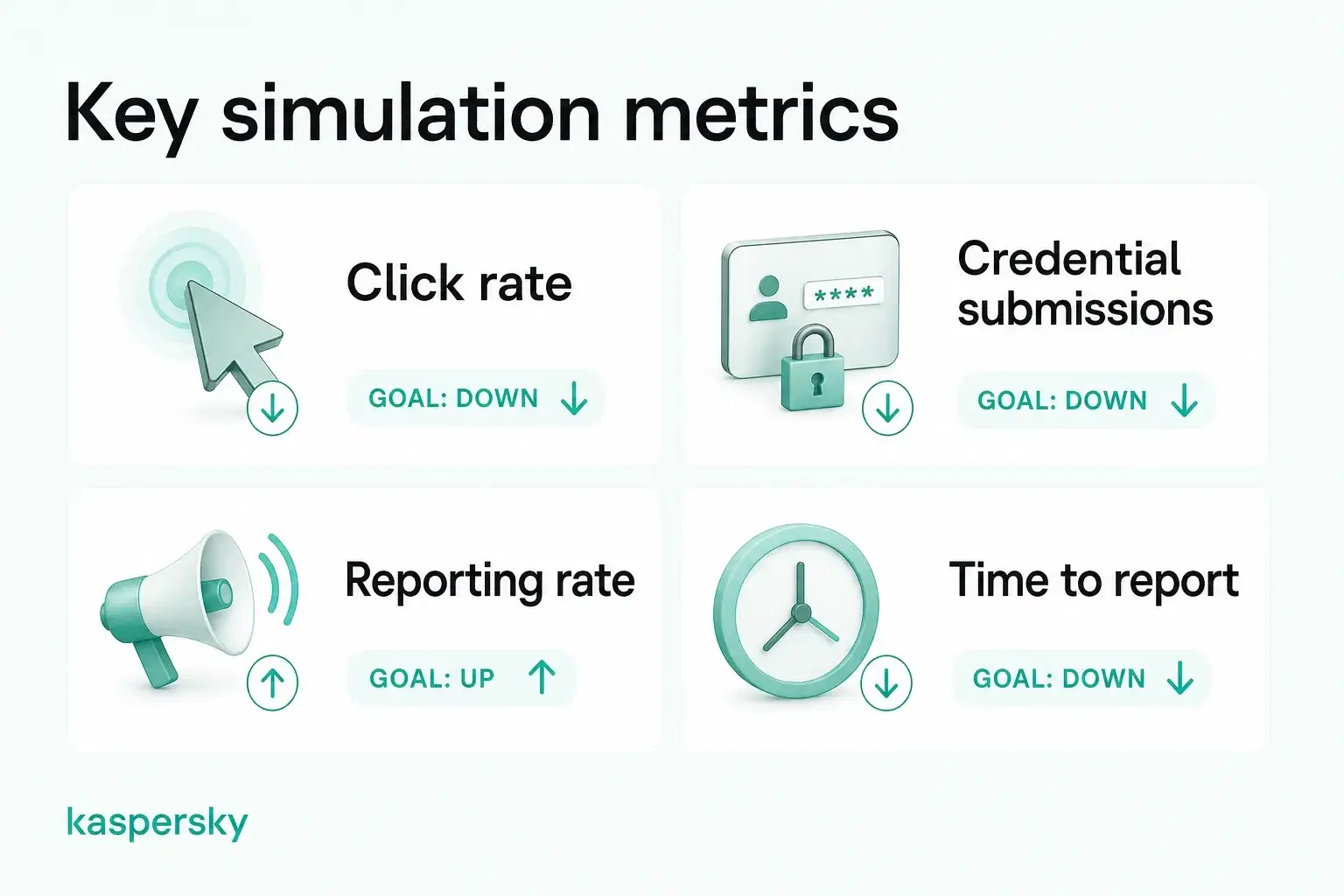
Click rate can be useful. It should not be the only measure of success. A rising reporting rate and fewer repeat mistakes can provide a clearer picture of whether employee behavior is actually improving.
How can businesses integrate phishing simulations into security awareness training?
Phishing simulations are most effective when they form part of a continuous security awareness program. Businesses can use a cycle of training, simulation, feedback, measurement, and targeted retraining to continuously develop employee skills.
Simulation results can reveal specific knowledge gaps and help businesses provide more relevant follow-up training instead of giving every employee the same material. As the program grows, automation can simplify campaign scheduling, training assignments, reminders, and progress tracking.
Related Articles:
- What are some effective phishing prevention tips?
- What are the main differences between spear phishing and phishing?
- How can you protect yourself from AI phishing scams?
- What is a whaling attack and how does it work?
Related Products:
FAQs
Are phishing simulations legal?
Generally, yes, but businesses should make sure simulations comply with applicable employment, privacy, and data-protection rules. In the UK, employee monitoring must be lawful, fair, and transparent, so organizations should consider how simulation data is collected and used.
Should you tell employees about phishing simulations?
Employees should know that security monitoring and awareness testing form part of the organization’s security program, but they do not necessarily need advance notice of each individual simulation. This preserves realism while still supporting transparency.
What is a good phishing simulation click rate?
There is no universal “good” rate. The more useful measure is whether click and credential-submission rates fall over time while reporting rates improve.
What should you look for in a phishing simulation tool?
Look for realistic templates, safe data capture, reporting metrics, automated training, campaign scheduling, customization, and easy progress tracking. A good tool should support continuous learning rather than just one-off tests.